A little break
looks good
on you.
A cheerful reminder to drink water, stretch and step away. Right in your Mac’s menu bar.
Meet Wimlet
Coming to the Mac App Store
$7.99 once. Yours to keep.

Pip
A five-second website preview.
One small action
at a time.
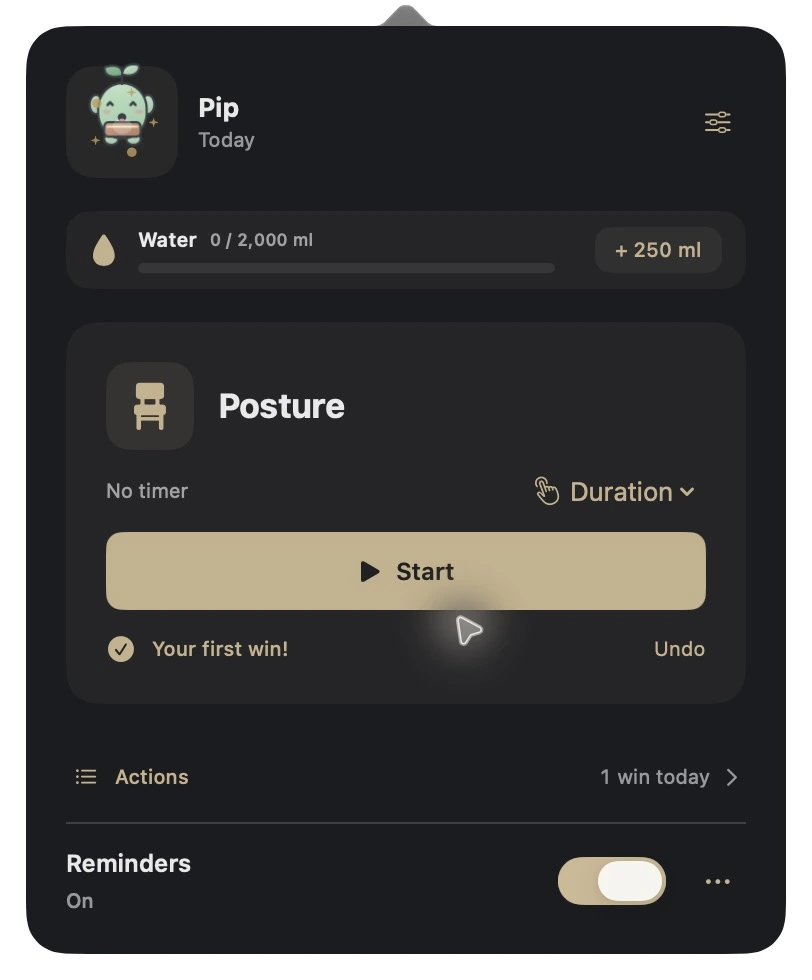
Water stays in view. Your next action is ready when you are.
A sip of water. A posture check. A little win that counts.
- Your rhythm.
- Timed reminders or a surprise mix.
- Your actions.
- Choose the duration. Add your own.
- Your quiet time.
- Wait through meetings and full-screen work.
A little space that’s yours. Your activity stays on your Mac. No account. No ads.
Our privacy promiseSmall breaks.
Little wins.
Coming soon to your menu bar.
$7.99one-time purchase
No subscription.
Coming to the Mac App StoremacOS 14 or later · Apple Silicon & Intel
A few little answers.
How does Wimlet fit into my day?
Wimlet lives in the menu bar at the top of your Mac. Choose timed reminders or a surprise mix, start an action, and complete it when you’re finished. Water tracking stays within reach.
Can I change the actions and timing?
Yes. Set how long an action lasts separately from how often it appears. Choose the actions you want, add custom actions and icons, or pause reminders whenever you need.
Will it interrupt a meeting?
You can enable Calendar quiet time to wait until busy, timed events finish. Calendar access is optional. Full-screen quiet mode can also hold reminders while you’re focused.
Does it run when my Mac is asleep?
Reminders run while Wimlet is open and your Mac is awake. Daily totals reset to the local day; your activity history and weekly progress remain.